Audio Strip: Bottom Line Summary
"A solid free vocal separation tool for splitting stems from audio tracks — reliable for isolating vocals or instrumentals from songs, though it competes closely with free alternatives that perform comparably."
What is Audio Strip and how does it work?
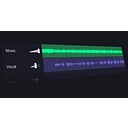
Audio Strip separates audio files into isolated stems using AI source separation technology. Upload a song or audio recording, select the separation type (vocals/instruments, or full stem separation with drums and bass), and download the isolated tracks. Common use cases: removing vocals for karaoke tracks, isolating instrumentals for remixing, extracting vocals for sampling, and analyzing individual instrument parts in a mix.
Audio Strip standout strengths
For musicians who want to isolate a guitar part, vocalists who need an instrumental backing track, or producers looking to sample a specific element from a song, Audio Strip delivers usable stems for free without requiring a subscription. The browser-based, no-account-needed experience is the right approach for occasional use.
Audio Strip weaknesses and drawbacks
Moises.ai provides higher-quality separation with a free tier and mobile app, and is the more established tool in this space. iZotope RX is the professional standard for demanding isolation work but costs significantly more. For casual stem separation needs, Audio Strip and Moises.ai are essentially interchangeable; for professional music production work, Moises Pro or iZotope RX are more capable.
Audio Strip pricing & plans (2026)
Free: basic stem separation with usage limits. Paid plans for more usage and features. Best for: musicians, producers, karaoke fans, and content creators who occasionally need to separate vocals or instrumentals from audio.
Who is Audio Strip best for?
| User type |
Why it fits |
Considerations |
| Musicians/producers |
Free stem separation for remixing and sampling |
Compare with Moises.ai for quality comparison |
| Karaoke creators |
Quick instrumental track generation |
Quality depends on original recording quality |
| Professional audio engineers |
Limited fit — iZotope RX for serious separation work |
Free tools have quality ceilings for demanding projects |
Audio Strip review: final verdict
Audio Strip is a capable free stem separation tool. Test it alongside Moises.ai's free tier to compare quality on your specific audio before choosing one. For professional audio production, iZotope RX is in a different quality class.