ChatPDF: Bottom Line Summary
"A focused, easy-to-use tool for asking questions about PDF documents — useful for quickly extracting information from research papers, contracts, and reports without reading the whole thing."
What is ChatPDF and how does it work?
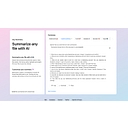
ChatPDF is a single-purpose tool: you upload a PDF, and it creates a conversational interface where you can ask questions about the document's content. The AI reads the document and answers based on what's in it, citing page numbers or quoting passages for traceability. It's designed for research, contract review, academic reading, and any situation where you need to extract specific information from a long document quickly.
ChatPDF standout strengths
The zero-setup UX is the main draw. There's no account required to try it, no prompt engineering needed, and the citation feature (showing which passage supports each answer) is genuinely useful for verifying that the answer reflects the document rather than the model's training data. For someone who needs to quickly check whether a contract includes a specific clause, or extract the methodology section from a research paper, it works reliably and fast.
ChatPDF weaknesses and drawbacks
The use case is now natively handled by both Claude.ai and ChatGPT — both support PDF uploads directly in chat with comparable or better accuracy and no dedicated tool needed. ChatPDF made sense as a standalone product before major AI assistants added native document support; the standalone value case is weaker now. Dense academic documents with formulas, tables, and figures also challenge the text extraction layer.
ChatPDF pricing & plans (2026)
Free: 2 PDFs/day, 50 pages max, 50 questions/day. Plus: ~$5/mo (50 PDFs/day, 2,000 pages, unlimited questions). Best for: users who regularly review documents but don't have a Claude or ChatGPT Plus subscription, and anyone who wants a focused, single-purpose document tool rather than a general AI assistant.
Who is ChatPDF best for?
| User type |
Why it fits |
Considerations |
| Researchers |
Quick literature review and paper extraction |
Accuracy varies on math/table-heavy papers |
| Legal/contract reviewers |
Fast clause lookup without reading everything |
Always verify AI answers against source for legal decisions |
| Students |
Textbook and article Q&A |
Claude or ChatGPT with a file upload is more capable |
ChatPDF review: final verdict
ChatPDF does its one thing well and the free tier is sufficient for occasional use. For heavy document AI work, Claude Pro or ChatGPT Plus handle PDFs within a more capable general AI environment. If you frequently review long documents and want a dedicated simple tool, the $5/month Plus plan is reasonable.